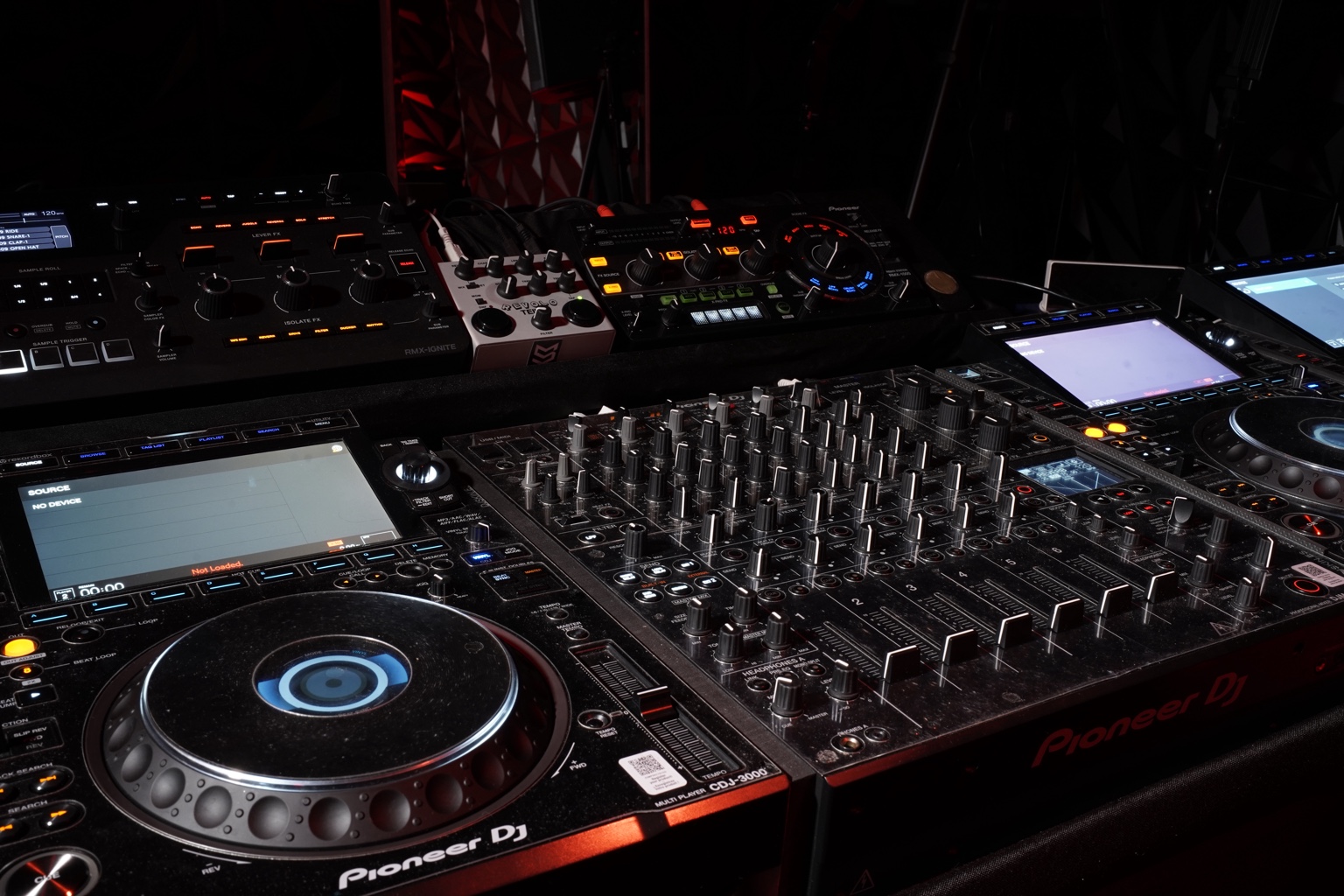
An hour on a pair of CDJ-3000s goes by fast. If you show up with an unsorted USB and no plan, half of it is gone before you play anything you actually wanted to work on. If you come prepared, one hour in a practice room can do more for your next gig than a week of mixing at home.
This is what we see work for the DJs who practice at our studio in Miami.
Before you come: prepare your USB at home
Most lost time in a practice session happens at the start, looking for tracks. Do this before you leave the house:
- Export your music from Rekordbox to the USB, so beat grids, hot cues and memory cues come with you.
- Analyze every new track and check the grid on the ones you will actually play. A bad grid on a CDJ-3000 is just as bad as at home, only now you notice it in the middle of a transition.
- Make a playlist only for this session. Twenty or thirty tracks you want to work on is better than your whole library.
- Bring a second USB with the same music. If one fails, you keep playing.
Pick one goal for the hour
“Practice” is too general. Decide what you are coming to fix, and give it most of the time. Some ideas:
- Your opening and closing. The first ten minutes and the last ten of a set are the ones people remember. Play them more than once.
- The transitions that scare you. Two tracks with different energy, a change of genre, a long blend. Repeat the same transition until it feels easy.
- A full run of your next gig. If you have a booking coming, play the set from start to finish as if it were the night. You will find out which part drags.
- New music. Tracks always sound different on a club system than on headphones. This is the place to find out which ones really work.
A simple way to split one hour
You don’t need to follow it exactly, but it helps to have something in mind:
- First 10 minutes. Plug in, set your levels and warm up with tracks you know well.
- Next 35 minutes. Work on your one goal. Stop, repeat, try it another way.
- Last 15 minutes. Play straight through without stopping, like a real set. This is where you find out if what you practiced holds up.
If you want more time for full runs, book two or three hours. The price per hour goes down when you book more than one.
Use the features you don’t have at home
If you usually practice on a controller, the CDJ-3000 has a few things worth trying while you are in the room: the large touch screen to browse and search, eight hot cues per track, beat jump to move around a track on the beat, and key shift to fix a clash between two tracks. A pro mixer like the DJM-V10 also gives you more control over EQ and filters than most home setups. Spend a few minutes on whatever you will find in the booth at your next gig.
Two players or four?
Our studio has two setups in the same room, so you only pay for what you use.
- Basic. 2 Pioneer CDJ-3000, DJM-V10, RMX-1000 and a Teile 2 Revolo. This is the classic club booth and covers what most DJs need to practice.
- Premium. Everything in Basic plus 2 CDJ-3000X, an RMX Ignite and a Teile 1 Keinedelay. Good if you play with loops, layers and effects, or if you want to rehearse a B2B.
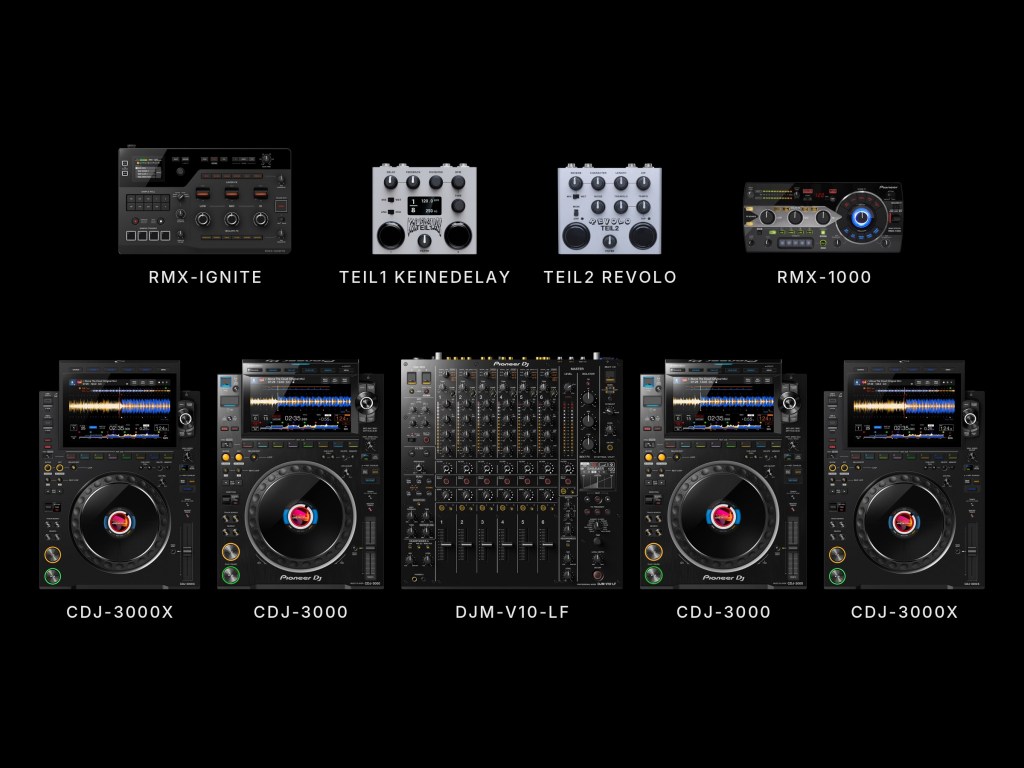
Basic starts at $50 for one hour and Premium at $70. You can see every price on our DJ practice studio page.
Record yourself while you practice
Listening back is the fastest way to improve. You hear the transition that felt fine but wasn’t, the track that went on too long, the moment the energy dropped. You can record yourself with your own phone or camera while you play, a lot of DJs do it.
If you want a video you can actually post, you can also add a 4K recording of your session when you book. Check our video recording options.
Frequently asked questions
What do I need to bring?
Your music on a USB drive exported from Rekordbox, and a second one as backup. The gear is set up and ready when you arrive.
Can I bring a friend?
Yes. Up to 4 people in the room, DJs included.
How far in advance do I need to book?
You can book online up to two hours before the time you want, as long as the slot is free.
Book your practice session
Pick your day, your setup and how many hours on our booking page. Bring your USB, we take care of the rest.
Leave a Reply